Customer Service Automation: Options and Limits
· DigifyNow
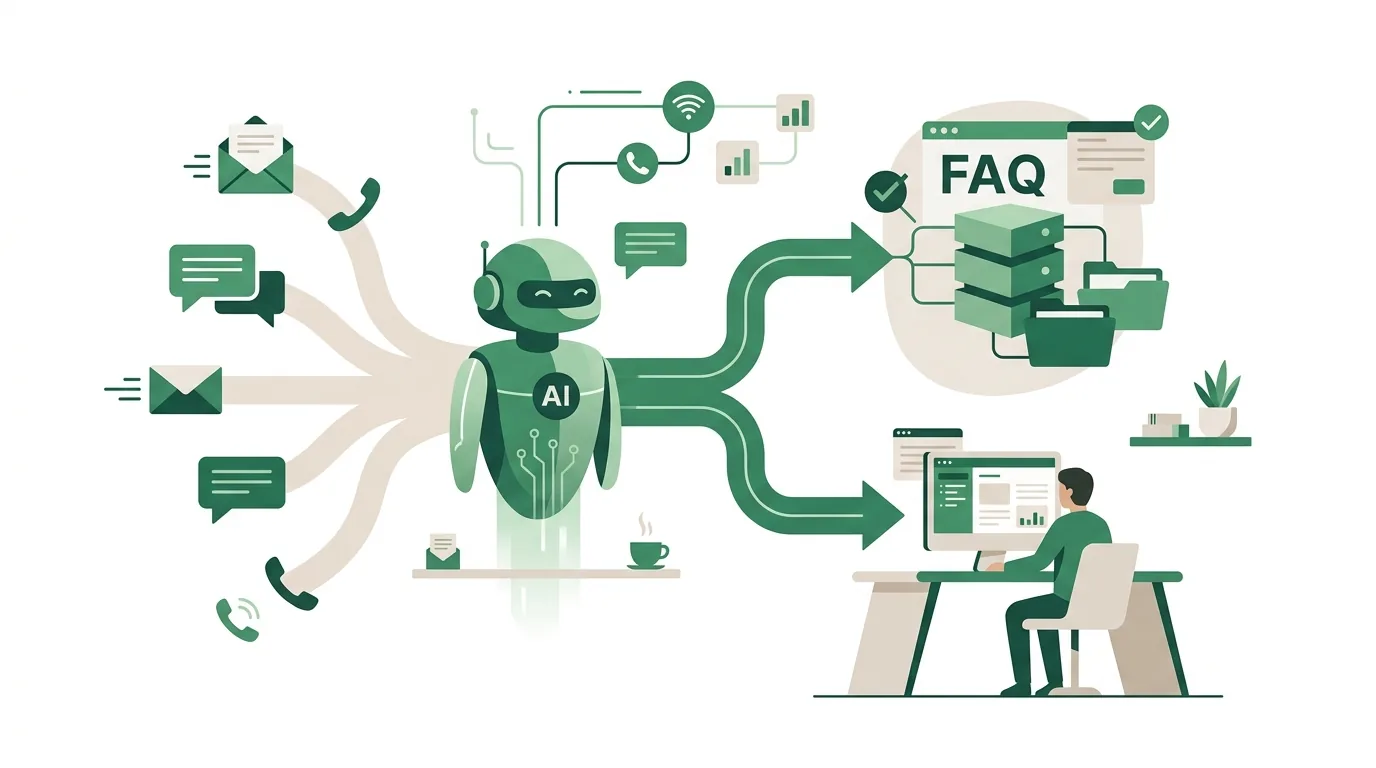
Automating customer service means building a chain with four links. Each incoming request gets recognized and sorted into a category. The system then pulls the data it needs from your store, CRM or knowledge base. It answers routine cases itself or drafts a reply for review. Anything unclear goes to a person along with the full history. Whether this holds up depends on maintained answer sources, integrations with your systems and a clear handoff rule.
Here is how to automate customer service. Route every incoming channel into one place and have each request sorted into a category automatically. The system then answers routine cases with data from your store, CRM or knowledge base, or it drafts a reply for someone to approve. Anything unclear goes to a person along with the conversation history. Start with the two or three most common request types whose answers already live in one of your systems.
What does customer service automation actually mean?
Customer service automation does not mean swapping your phone line for a chatbot. It means a chain of tasks that someone currently does by hand. First, intake: emails, web forms, chat and messaging app messages land in one place instead of five inboxes. Second, classification: the system works out what the request is about (order status, an invoice copy, a complaint or an appointment request) and which customer is writing. Third, handling: it answers routine cases with data from your online store, inventory or ERP system, or CRM, or it drafts a reply for approval. Fourth, handoff: anything it can't classify with confidence goes to the right person with the complete history attached.
The fourth step tells you whether a system is any good. If it answers uncertain cases on its own anyway, customers get wrong information. And if customers have to repeat everything after the handoff, you end up losing more time than the automation saves. For how to decide which processes are worth automating in the first place, see our article on business process automation for small and mid-sized companies.
Which customer requests can you automate?
A request is a good fit for automation when the answer sits in a system and doesn't change from case to case. A blog post by Sematell (sematell.com, accessed November 2026) cites a McKinsey study that found up to 40 percent of contact center requests could be standardized. That figure applies to contact centers in general. Your share could be very different. So count a sample from the last few weeks yourself: log each request with its channel, its request type and the place where the answer was found.
| Request type | Can it be automated? | Prerequisite or reason |
|---|---|---|
| Where is my order? | Yes | Integration with your store or shipping carrier, with a tracking number |
| Invoice copy, delivery note | Yes | The document is linked to the customer in your system and the sender is verified |
| Business hours, return windows, how-to guides | Yes | A maintained knowledge base with one person responsible for it |
| Booking an appointment, callback request | Usually yes | A calendar with open time slots is connected |
| Complaint with photos | Partly | Capturing and pre-sorting, yes; a person makes the decision |
| Goodwill gestures, discounts, contract changes | No | A judgment call with financial or legal consequences |
| Angry customers, threats to cancel | No | Needs a real conversation; an automated reply often makes things worse |
Examples: what does an automated workflow look like?
Here are three workflows of the kind that typically come up in small and mid-sized businesses. Each one shows where the automation deliberately stops.
Trade contractor: appointment request via web form
- The form asks for the ZIP code and the type of work as required fields, with photos as an optional field.
- The system uses the ZIP code to check whether the address is inside the service area. If it isn't, a friendly decline with the reason goes out.
- If the area fits, it offers open time slots from the connected calendar; the customer picks one and gets a confirmation.
- If the customer selects "emergency", say for a burst water pipe, the system doesn't book a slot. It shows the emergency number and alerts the on-call team.
- What stays manual: the estimate. A person writes it after reviewing the photos or visiting the site.
Wholesale: invoice copy by email
- A customer asks you to resend a specific invoice and includes the invoice number. The system recognizes it by the fixed number format your accounting uses.
- It checks the sender address against the contact addresses on file for the customer account the invoice belongs to.
- If the address matches, the PDF goes out automatically and the send is logged in the customer account.
- If it doesn't match (typical with forwarded emails from personal addresses or new employees on the customer's side), the system releases nothing and passes the case to accounting.
- Where it breaks: outdated contact data in the CRM. Legitimate requests then keep landing with accounting until someone updates the master data.
Restaurants: allergen questions and reservations
- Guests ask through a messaging app or the website chat whether a dish contains nuts, for example, or whether a table is free on Saturday.
- The assistant answers allergen questions only with the information stored for that dish in the maintained menu, and names the dish in its answer.
- Questions about traces, preparation in a shared kitchen or special diets get passed to staff instead of being answered by the assistant.
- Reservations go only through the connected reservation system; if nothing is available, the guest gets a notice instead of a confirmation.
- Weak spot: if the daily specials change and nobody updates the information, the assistant answers with the old version.
What are your options? Five approaches compared
The options differ in how they recognize a request, how deep they reach into your systems and who runs them. Help desk software like Zendesk or Freshdesk comes with ticket rules. Workflow platforms like n8n, Make or Zapier connect your inbox, your store and an AI model. According to its documentation (docs.n8n.io, as of November 2026), n8n can also be self-hosted on your own servers; Make and Zapier run as cloud services. Disclosure: DigifyNow is a Make partner and earns a referral commission there.
| Option | How it works | Good fit for | Where it stops |
|---|---|---|---|
| Help desk rules (e.g. Zendesk, Freshdesk) | Fixed if-then rules based on sender, subject line or form field, plus canned responses | Sorting, assigning, acknowledgment emails, fixed answers | Only understands free-form requests through keywords; every new variation needs a new rule |
| AI chatbot with a knowledge base | Searches your documents for relevant passages and writes an answer from them (retrieval-augmented generation) | Requests that can be answered from FAQs and documents, on your website or in messaging apps | Only as good as the documents; without an integration it knows nothing about order status |
| AI draft with approval | The model classifies the email and writes a draft; a person reviews and sends it | A low-risk starting point, mixed requests | Only saves time as long as reviewing is faster than writing it yourself |
| Workflow platform (n8n, Make, Zapier) | Triggers, steps and branches between inbox, store, CRM and AI model | Clearly defined workflows with systems that have ready-made connectors | Gets messy with lots of edge cases; you build error handling and logging yourself |
| Custom development | Your own application with integrations, roles, logging and handoff logic | In-house business systems without ready-made connectors, strict data residency requirements | Longer lead time; someone has to own operations and maintenance for the long haul |
In practice, companies often combine two approaches, such as help desk rules for routing and an AI draft for the reply text. For what an AI agent should be allowed to do and which approval levels it needs, see our AI agent examples for small and mid-sized businesses.
Why customer service automation fails
Most of the problems that only show up once a system is live were built in during setup. The most common causes:
- Outdated knowledge base: the bot quotes last year's return window because nobody maintains the document. An AI model doesn't check whether a source is still valid.
- Made-up answers: when the model can't find a relevant passage, it still writes a plausible-sounding answer. The fix is an instruction to hand off to a person in that case, plus regular spot checks.
- No identity check: if you send out invoices or addresses automatically, you have to verify first that the sender matches the customer account. Otherwise, anyone's email address is enough.
- Autoresponder loops: when two automated systems reply to each other, you get an endless loop. Automated emails should be flagged in the header, and incoming out-of-office replies filtered out.
- Handoff without context: the ticket reaches the agent without the chat history, and the customer has to repeat everything.
- No way out: someone who wants to talk to a person can't find a way to reach one. Every flow needs a visible path to a human.
- Integrations that fail silently: if the store changes its token or data format, requests go nowhere. Without error alerts, you only notice when the complaints come in.
For how to trigger and secure events between systems with webhooks so that errors become visible, see our article What is a webhook? How it works, testing and security.
How much does customer service automation cost?
There's no honest flat price, because the cost depends on a few clearly identifiable drivers. First, licenses: help desk and workflow tools usually bill per user, per executed step or per ticket, and AI models also bill by the tokens processed. Long conversation histories and lots of documents in the context push usage up. Second, integrations: for every connected system, whether store, ERP, CRM or calendar, someone has to implement authentication, data formats and error cases. If there's no ready-made connector, that becomes development work. Third, data: the knowledge base first has to be pulled together from scattered PDFs, emails and what individual employees know. That's often the biggest line item and the one most often underestimated. Fourth, operations: monitoring, spot-checking answers, maintaining sources and adapting to new products are ongoing work.
A reliable number only emerges once the request types, volume and systems are known. For how AI costs break down into subscriptions, tokens and operations, see our article on AI costs for businesses.
What does the EU AI Act mean for customer service chatbots?
The EU AI Act affects automated customer service in two places, which matters if you serve customers in the EU. First, the transparency obligations, which now apply: among other things, they cover AI systems that interact directly with people. Customers should be able to tell they are chatting with an AI when that isn't already obvious. In practice, the notice belongs in the chat window or in the automated reply itself, not just on a separate page. For labeling synthetically generated content, there is a transition period for providers whose systems were already on the market before; ask the vendor of your tool how they're handling it. Second, AI literacy: providers and deployers take measures to support the AI literacy of the employees who work with the system. They are not required to guarantee a particular level of literacy. The wording and deadlines are in the consolidated text of the AI Act on EUR-Lex; make sure you're reading the version after the most recent amendment. Whether a specific setup meets all the requirements depends on how it is operated. That belongs in a legal review, not in a product description.
How DigifyNow approaches customer service automation
DigifyNow doesn't start with a tool, it starts with a count: which requests come in, how often, through which channel, and where does the answer live? That determines the scope, which usually starts with AI drafts plus approval or a narrowly scoped assistant for a handful of request types. We only expand once spot checks show the answers are right. On the technical side, the team uses whatever fits your existing systems: an off-the-shelf tool where that's enough, and a custom integration where business systems have no connectors. Employees who work with the system get trained and supported. Our service pages on AI workflow automation and AI assistants for businesses describe how this works. To be honest: with a few dozen requests a month, building this usually isn't worth it. Good canned responses in your inbox will do more for you.
An assistant's answers are only as good as the data behind them. If customer accounts, contact addresses and case records are scattered across spreadsheets, a clean back office comes first. Our Mundo Marketing case study shows what a custom back office with a CRM looks like. For restaurants there's also Tablify, a product by DigifyNow: digital menus, gift cards and analytics via QR code. Guests pull up the menu themselves at the table, and the information is maintained in one place.
When outside help makes sense
Outside help pays off when several systems need to be connected, when customer data is supposed to go out automatically, or when a first chatbot attempt gave customers wrong answers. Have a sample of real requests from the last few weeks ready, a list of your systems and how they can be accessed, and the name of the person who will maintain the knowledge base going forward. In a free, no-obligation assessment of your project, DigifyNow works out which approach fits those conditions.
Frequently asked questions
How do I automate customer service?
In four steps: route email, web form and chat into one place, sort every request into a category automatically, answer routine cases with data from your store, CRM or knowledge base or present them as drafts, and hand anything unclear to a person along with the history. Unlike a standalone chatbot, this chain also covers background work like sorting and assigning. Start with the two or three most common request types.
What's the difference between a chatbot and ticket automation?
A chatbot holds a conversation with the customer and answers questions directly in the chat window. Ticket automation works behind the scenes: it sorts incoming requests, assigns them to people, sets priorities and sends acknowledgment emails. Many companies start with ticket automation because no answer reaches a customer without a person checking it first.
Can AI answer customer service emails on its own?
Technically yes, if the model can classify the request and pull the data from your store or CRM. That makes sense for narrowly defined request types like order status. For mixed requests, a draft with human approval is safer, because without a relevant source a model can still write an answer that sounds plausible but is wrong.
How long does it take to roll out automated customer service?
It depends on three factors: the number of connected systems, the state of your knowledge base and the number of request types in the first phase. An acknowledgment email with routing in your help desk is quick to set up. An assistant with access to order data, on the other hand, needs integration work and a testing phase with real requests. A commitment for a specific project only comes after the analysis.
Do you have to tell customers they're talking to a bot?
The transparency obligations of the EU AI Act now apply and also cover AI systems that interact directly with people: people should be able to tell they are communicating with an AI when that isn't obvious. Unlike a notice tucked away on a legal or imprint page, this has to be recognizable in the conversation itself, for example in the chat window. Work out the specific implementation with your legal counsel.