How to Run AI Locally: Options, Hardware, Limits
· DigifyNow
To run AI locally, you download the weights of an open language model to your own hardware. A runtime such as Ollama or LM Studio generates the answers there, so processing doesn't happen at a cloud provider. What matters most is whether the model and context fit into GPU memory or system memory. Quantization shrinks the model but costs accuracy. Local AI works well for sensitive data and clearly defined tasks. Where small models fall short, a cloud model with a data processing agreement is the alternative.
Running AI locally means you download an open language model, for example from the Llama, Mistral, Gemma or Qwen family, and run it on your own hardware with a runtime such as Ollama or LM Studio. Whether it runs smoothly depends mostly on GPU memory. The model and the context have to fit into it. If they don't, the CPU takes over and answers slow to a crawl. A regular workstation is enough for a test. If several employees are going to use it, you need your own or a rented GPU server, with logins, permissions and someone who maintains it.
What does it mean to run AI locally?
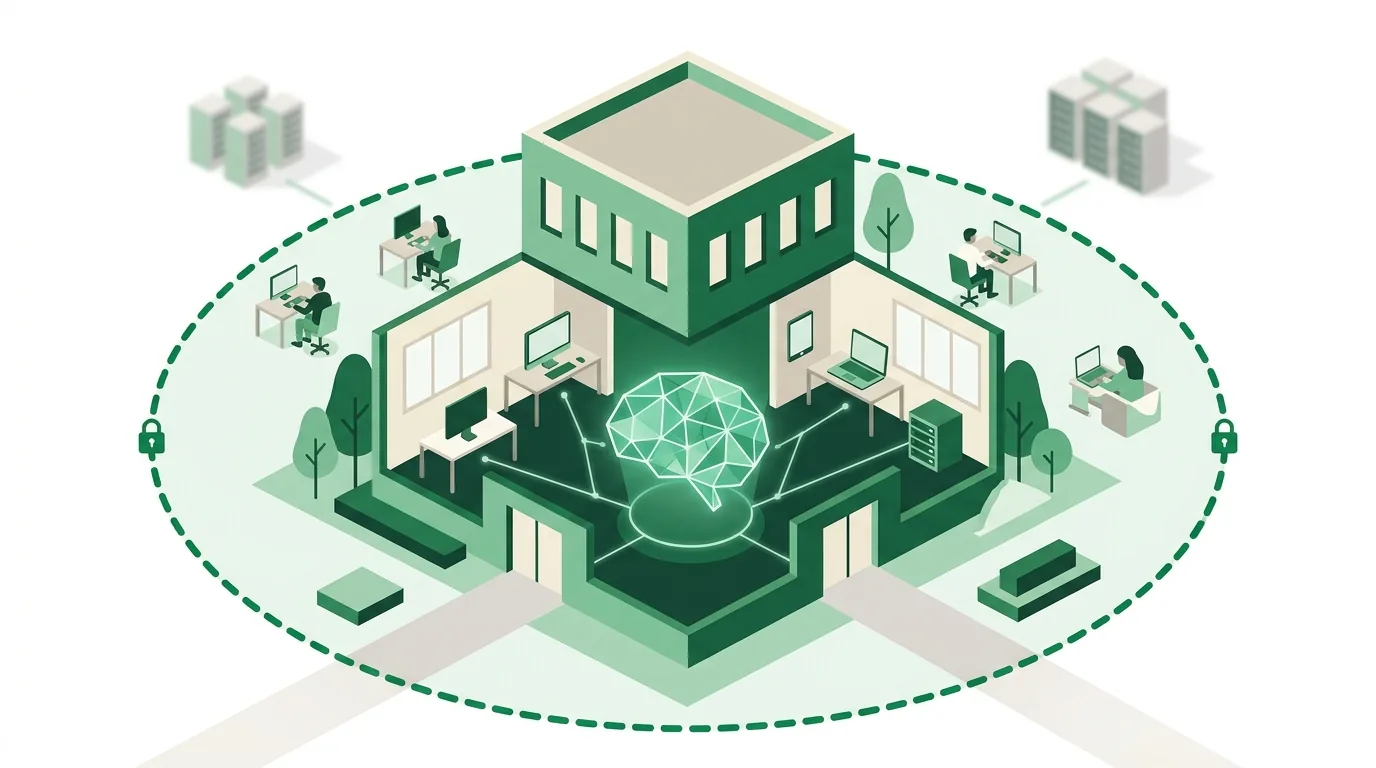
A locally hosted language model has three parts. First, the model weights: one large file you download once. Second, a runtime. It loads those weights into memory and, for every request, generates the answer word by word (this is called inference). Third, an interface or API through which people or other programs ask questions. When you chat with a cloud service, all three parts sit with the provider. When you run AI locally, you bring them onto your own machine or onto a server your company manages itself.
No training happens here. The model stays exactly as it was downloaded. Company knowledge gets in through the request: you hand the model relevant excerpts from your documents along with the question. That approach is called retrieval-augmented generation (RAG). This matters for expectations. Local doesn't mean the model knows your data. It only means the computation happens on hardware you control. How well your data is protected there then depends on how you run it: access rights, updates, logging and backups.
How do I run AI locally on my own computer?
With Ollama, a first test looks like this. The steps follow the Ollama documentation at docs.ollama.com (as of October 2026).
- Install Ollama: there is an installer for macOS and Windows. On Linux, you install it with a script from the Ollama website. After that, Ollama runs as a background service.
- Pick and download a model: in the terminal, use "ollama pull" plus the model name from the model library on ollama.com. Check the model's license first, because licenses differ between model families.
- Test it in the terminal: "ollama run" with the same model name opens a chat on the command line. "ollama ps" shows whether the model is running on the GPU or on the CPU.
- Use the API: Ollama accepts requests on your own machine (localhost) on a fixed default port and also offers an OpenAI-compatible endpoint there. Programs built for the OpenAI API can be switched over by changing their base URL to the local service.
- Don't just expose it to the network: by default, Ollama only binds to your own machine. If you open the service to the network via the OLLAMA_HOST variable, you have to put authentication and access control in front of it yourself, because Ollama has no user management.
- Test with real cases: run through a set of anonymized, real tasks from your business, not demo questions. Only then can you tell whether the model size is good enough.
If you'd rather avoid the terminal, use LM Studio. You search for models inside the app, download them and test them in a chat window. According to the documentation at lmstudio.ai (as of October 2026), LM Studio can also start a local server with OpenAI-compatible endpoints. You switch the server on in the app; only then can other programs reach the loaded model.
Local, your own server or the cloud: which setup fits?
The first decision isn't which tool to use but where the model should run. In practice there are four deployment options. They differ in who carries the hardware and how many people can use it at the same time.
| Deployment option | Where it runs | Who handles hardware and updates | Good fit for | Limitation |
|---|---|---|---|---|
| Workstation | On an employee's PC or laptop | The user or internal IT | Experimenting, single-user tasks such as summarizing text | One person only; the machine has to be on; performance depends on that device's GPU memory |
| Your own on-premises server | On a GPU server in your own network | The company: power, cooling, spare parts, updates | Multiple employees, sensitive data, integration with internal systems | Upfront purchase; someone has to own operations |
| Rented GPU server | In a hosting provider's data center, on a dedicated machine | The host handles hardware, the company handles software and updates | Multi-user operation without owning hardware | Data sits with a third party; a data processing agreement is required |
| Cloud model via API or chat | At the model provider | Entirely the provider | Demanding tasks, quick start | No control over model version and processing location beyond the contract |
A mix often works best: local models for HR data or contracts, a cloud model for general research and writing. How to evaluate cloud tools by data flow and contract terms is covered in our overview on choosing AI tools for your business.
What software do I need to run AI locally?
The current overviews from the German outlets t3n and ki-wissen.org (accessed October 2026), both of which Google cites in its search results, put two tools at the top: Ollama and LM Studio. Both download models and run them. But they're aimed at different users.
| Criterion | Ollama | LM Studio |
|---|---|---|
| Interface | Command line (terminal) | Graphical desktop app |
| How it runs | Runs as a background service | Launched as an application; search, download and test models in a chat |
| Connecting your own software | OpenAI-compatible API on your own machine (per docs.ollama.com) | Local server with OpenAI-compatible endpoints, enabled in the app (per lmstudio.ai); the focus is on trying things out in the app |
| Good fit for | Running on a server, connecting to automations and custom applications | Single workstation, comparing models, no terminal needed |
| Limitation | No way in without terminal skills; you have to add a chat interface with user management | Built for an individual workstation, not shared team access |
For business use, the runtime alone isn't enough. You also need an interface with logins and roles, a document search for RAG, and logging that records who asked what. These building blocks are where the real project effort goes, not installing the model.
What hardware do you need for local AI?
The key hardware question is: does the model fit entirely into the memory the GPU can access quickly? That means the video memory (VRAM) of a graphics card, or the shared memory on machines with unified memory. How much memory a model needs depends on two things: its number of parameters and the precision each parameter is stored at. Quantization lowers that precision so each weight needs fewer bits. The model then fits on smaller hardware. But the answers get less accurate, especially with math, logic and rare technical terms.
Besides the model, the context also takes up memory: everything sent along with a request, meaning the conversation history and document excerpts. Long PDFs in the context drive up the requirement even though the model itself stays the same. If the two don't fit into GPU memory together, the runtime offloads parts to regular RAM and computes them on the CPU. Technically that works. But answers come back so slowly that nobody uses it for day-to-day work. And as soon as several employees ask questions at once, they share the same compute.
What local AI is good for in a business: examples
The following cases describe typical starting points we come across in initial conversations. They aren't client projects but patterns that show how the decision for or against running AI locally plays out.
- Accounting or law firm: summarizing long client letters and pulling out deadlines. Local fits because confidential data is involved. Limitation: a person has to check amounts and dates in the summary against the original, because small models get numbers wrong.
- Manufacturing with maintenance manuals: technicians on the shop floor ask about procedures, the model searches the manuals via RAG and cites the source. Local fits when the shop floor has poor connectivity. Limitation: scanned PDFs need text recognition (OCR) first, otherwise the search finds nothing.
- Trades business: turning bullet-point job site notes into a clean report based on a template. Smaller models can handle that too. Limitation: if the notes contain no customer data, a cloud model is usually the simpler route.
- Inside sales: sorting inquiries by product group. There's little reason to run this locally as long as no confidential content is involved. The quality gap of small models shows up first with ambiguous inquiries.
If one of these cases is meant to become an assistant the whole team uses, our article on how to roll out an AI assistant in your company walks through the steps from choosing sources to training.
Where local AI hits its limits
- Quality gap: models that run on affordable hardware are smaller than the big cloud models. You notice it in multi-step reasoning, long contracts and tool calls that have to work reliably. That's why you test with real cases beforehand, not demo questions.
- Licensing: open models come with different licenses, some with conditions on commercial use. You have to check this for every model before it goes into production.
- Outdated models: a downloaded model doesn't update itself. Someone has to pick, test and roll out new versions.
- No one in charge: a GPU server under a desk with no updates, backups or access concept does nothing for data protection. It's just one more system nobody maintains.
- Wrong expectations: local doesn't mean the model knows your company data. Without document search and maintained sources, it makes up answers just like any other model.
If a task doesn't involve personal or confidential data in the first place, running it locally usually isn't worth it. You carry the cost of hardware and maintenance without the data question justifying it. More examples of where AI works in a business and where it doesn't are collected in our article on AI for small businesses with use cases and limits.
How much does it cost to run AI locally?
There's no honest flat figure, because the cost hinges on a handful of factors. The runtime itself isn't the cost item: according to its GitHub repository (as of October 2026), Ollama is released under the MIT license. If you're comparing, you need to weigh local operation over its entire service life against usage-based cloud fees, not just the purchase price.
- Model size and precision: they determine how much GPU memory you need and therefore the hardware class.
- Concurrent users: more parallel requests need more compute or multiple GPUs.
- Deployment option: your own hardware with power and spare parts, or a rented server with an ongoing fee.
- Integrations: connecting to document storage, CRM or ERP, including permission checks for every user.
- Data: preparing documents for search, meaning cleaning, chunking and keeping them up to date.
- Operations: updates, model changes, monitoring and a point of contact when something goes down.
A reliable number only comes once the task, the number of users and the data sources are settled. On top of that, a test with real documents has to show which model size is enough. How cost drivers like these work in software in general is explained in our article on software development cost.
AI agents with local models
What is an AI agent?
An AI agent is a language model that does more than return text. It decides on its own which tools to call: for example, looking up a customer in the CRM, creating an appointment or drafting an email. It repeats these steps until the task is done. A chatbot answers; an agent takes action in connected systems.
How does an AI agent work?
An AI agent runs in a loop. The model gets the task and a list of available tools, each with a name, a description and parameters defined as a JSON schema. It responds with a structured tool call. The program executes it and returns the result. Then the model decides on the next step. A loop limit caps the number of iterations. Approvals pause critical actions until a human signs off. Locally, this only works with a model that supports tool calling. Small, heavily quantized models produce faulty parameters more often.
Examples of AI agents in business
- Inbox: the agent reads incoming inquiries, matches them to a customer in the CRM and creates a reply draft for approval.
- Invoice checking: the agent compares invoice data with the purchase order and flags discrepancies instead of posting entries itself.
- Internal knowledge search: the agent searches manuals and meeting notes, cites the source and asks a follow-up question when nothing fits.
- Quote preparation: the agent pulls items and prices from the inventory management system and builds a draft for an employee to review.
Which tools and approval levels agents like these need in sales, accounting and customer service is covered in our article with AI agent examples for small and midsize businesses.
An AI agent example with a local model
An HR department wants incoming job applications sorted. The documents contain personal data. So the model runs through Ollama on a server in the company's own network. The agent has exactly two tools: read an application and assign an application to a position. It can't send rejections. The decision stays with a person; the agent only prepares it. Because Ollama has an OpenAI-compatible API, the agent logic can later run on a different model as well.
Building AI agents: what matters?
An agent comes together step by step: choose a narrowly defined workflow, define the tools with clear schemas, set approvals and limits, and then test with real cases, including faulty inputs. If you develop locally, run the same test set against the local model and against a cloud model. Only then do you know whether the quality gap matters for that workflow. The individual steps are explained in our article on how to build an AI agent.
What does the EU AI Act require when AI runs locally?
The EU AI Act makes no distinction between a system running in the cloud and one running in your own basement. Anyone who uses an AI system in their business is a deployer. Under the AI literacy provision in the amended version currently in force, providers and deployers take measures to support the development of AI literacy among their staff. That also covers any other people working with the systems on their behalf. They don't have to guarantee a specific level of competence. The stricter high-risk rules only apply after a transition period. The affected areas include certain HR applications. Whether a specific use, such as sorting job applications, falls into that category has to be assessed case by case, regardless of whether the model runs locally or in the cloud.
How DigifyNow brings local AI into your business
DigifyNow, based in Unnau in Germany's Westerwald region, doesn't start with hardware but with the workflow. Which task should the AI take on, what data does it touch, and who checks the result? Then we test with real documents whether a local model is good enough or a cloud model is the better fit. The outcome can also be that running AI locally isn't worth it for this case. Our AI consulting for businesses includes training and ongoing support for your employees, because a system without practiced users won't stick in daily work. If you need an assistant for your own company knowledge rather than a generic chat interface, you'll find the process on our page about the AI assistant for businesses.
When outside help is worth it
Nobody needs outside help for a first test on a single machine. That's exactly what Ollama and LM Studio are built for. Support pays off once several employees need access, internal systems get connected or an agent starts acting inside your workflows. At that point it's about permissions, operations and testing, not installation. To prepare for the conversation, it helps to have: a description of the workflow, sample documents without real data, the number of users and the systems that need to be connected. Use our contact form for a free assessment of your project to describe your case. We'll then tell you whether running it locally makes sense.
Frequently asked questions
How can I run AI locally, and what do I need?
You need three things: an open model with published weights, a runtime such as Ollama or LM Studio, and hardware whose GPU memory can hold the model and the context. With Ollama, you download a model with "ollama pull" and start it with "ollama run". According to docs.ollama.com (as of October 2026), other programs can reach it through an OpenAI-compatible API on your own machine.
Can you run ChatGPT locally?
No. ChatGPT is a cloud service from OpenAI, and its model weights aren't available for download. Only open models with published weights can be run locally, for example through Ollama or LM Studio. Ollama has an OpenAI-compatible API, so software built for the OpenAI API can often be switched over to a local model.
Is a regular office PC enough for local AI?
For very small, heavily quantized models you can try things out, but it's slow. What matters is whether the model and context fit into GPU memory or shared memory. Without a suitable graphics card the CPU does the work, and an answer then takes so long that nobody uses it day to day. For multiple users you need a dedicated server.
Does local AI take care of data privacy on its own?
No. Local only means processing runs on your own hardware instead of at a model provider. Which obligations are met depends on how you operate it: access rights, retention periods, logging, updates and purpose limitation. A server nobody maintains is a risk of its own. The legal assessment is up to your data protection officer and doesn't follow from where the computation happens.
What's the difference between local AI and an AI agent?
Local AI describes where the model runs: on your own hardware. An AI agent describes how it works: the model calls tools in a loop, such as CRM lookups, until a task is done. An agent can run locally or on a cloud model. Locally, it needs a model that handles structured tool calls.