Website Cost: Options, Cost Drivers, Upkeep
· DigifyNow
Most of a website's cost is billable hours for strategy, design, page templates, content and features, multiplied by the hourly rate. Recurring items come on top: domain, hosting, updates, backups and licenses. With a website builder you pay a subscription and do much of the work yourself. A custom build takes more hours but puts fewer limits on features and integrations. You only get a firm number once the scope is set down in writing.
How is the cost of a website calculated?
What a website costs comes down to three things: how many different page templates and features have to be built, who supplies the content, and who runs the site after launch. The one-time cost is billable hours times the hourly rate. The recurring cost covers domain, hosting, updates and licenses. If you only look at the build price when comparing quotes, you're comparing half the picture. Even a flat fee is calculated internally from hours. It just carries a risk markup for the parts that are still unclear.
- Strategy: site structure, target audiences, and what inquiry the site is supposed to trigger.
- Design: designing the page templates for desktop and mobile.
- Development: building the templates and hooking up forms, features and integrations.
- Content: copy, photos, translations. Many quotes leave this out because it stays with the client.
- Sign-off and launch: testing on different devices, redirecting old URLs, pointing the domain to the new site.
- Operations: hosting, domain, updates, backups, licenses, content upkeep.
For every quote, ask which of these items are included and which aren't. When two quotes are far apart on the total, they often just describe different work. One provider might write the copy, for example, while the other expects you to hand it over finished.

Website builder, WordPress or custom development: which option fits?
Your first decision is the technical route. It determines who does the work, who's responsible for the server and how easily you can move later. The table compares the three common routes against the same criteria. Check directly with each provider what a given plan includes, because plans change. WordPress itself is open-source software with no license fee, but premium themes and third-party plugins often cost money, frequently as an annual subscription.
| Criterion | Website builder (e.g. Wix, Jimdo, Squarespace) | WordPress with theme and plugins | Custom development |
|---|---|---|---|
| Who builds the site? | Usually you, in the provider's editor | You or a service provider | A development team |
| Who handles servers and updates? | The website builder provider | You or your provider: hosting plus core, theme and plugin updates | Depending on the contract: you, the team or a hosting provider |
| Cost model | Monthly or annual subscription, plus your own time | Build billed by effort, plus hosting and licenses for premium plugins if needed | Build billed by effort, plus operations and maintenance |
| Features and integrations | Only what the provider or its app marketplace offers | Wide range of plugins, custom extensions possible | Unrestricted, including connections to a CRM, inventory/ERP system or your own databases |
| Moving to another provider | Design and structure usually stay with the provider; check export options before signing up | Content and files can be moved to another server | Code and data belong to you, if the contract says so |
| Good fit for | Small sites, one-pagers, a quick start on a small budget | Content-heavy sites, blogs, company sites with in-house editors | Sites with logic: configurators, customer portals, booking with integrations |
| Hits its limits with | Custom workflows, deep integrations, unusual designs | Lots of plugins from different authors that clash during updates | Small budgets for a simple business-card site; it doesn't pay off there |
If you're choosing between a freelancer, an agency and a website builder, you'll find selection criteria and questions for the first call in the article How to find a web designer: criteria, options, mistakes. An online store adds its own cost drivers, such as payment providers and inventory management, which are covered in How to create an online store: options, costs, pitfalls.
What drives the one-time cost of a website?
Page count is a poor yardstick. What matters is how many different templates have to be built. Twenty service pages with the same layout are one template plus content entry. Five pages with completely different layouts are five templates.
An example: a contractor wants twelve service pages, a home page, a project portfolio overview and a contact form. That's four templates, not fifteen pages. If the contact form should also accept photos of the damage and write the inquiry, including the ZIP code, into the CRM, you add an integration, and that often takes more time than two extra templates.
- Number of page templates: home page, service page, case study, blog post, contact. Every distinct template costs design and development time.
- Content: who supplies copy, photos and videos? If they're missing, the project stalls, or copywriting and a photo shoot get added.
- Multiple languages: each language needs translation, its own URLs and upkeep. The effort repeats with every change.
- Forms and integrations: a contact form that sends an email is quick to build. A form that writes inquiries straight into the CRM needs an integration, testing and error handling.
- Features with logic: appointment booking, a product configurator, customer login or a store turn the website into a small piece of software.
- Page speed: with Core Web Vitals, Google measures how quickly the largest visible element appears, how quickly the page responds to input and whether the layout shifts while loading. Large images, videos in the header and lots of third-party scripts hurt exactly these metrics, and optimizing them takes development time.
- Accessibility: certain online services are subject to legal accessibility requirements. Whether your site falls under them is a question for legal advice, but the development effort for contrast, keyboard navigation and alt text belongs in the quote.
- Existing website: migrating old content and permanently redirecting old URLs to the new ones so search engines and bookmarks don't hit dead ends.
- Review rounds: every extra round of design revisions costs hours. With many decision-makers involved, plan for it.
If the new site replaces an old one, the migration is a work package of its own. The steps involved, from the URL inventory to the redirect map, are in the Website migration checklist with phases and mistakes.
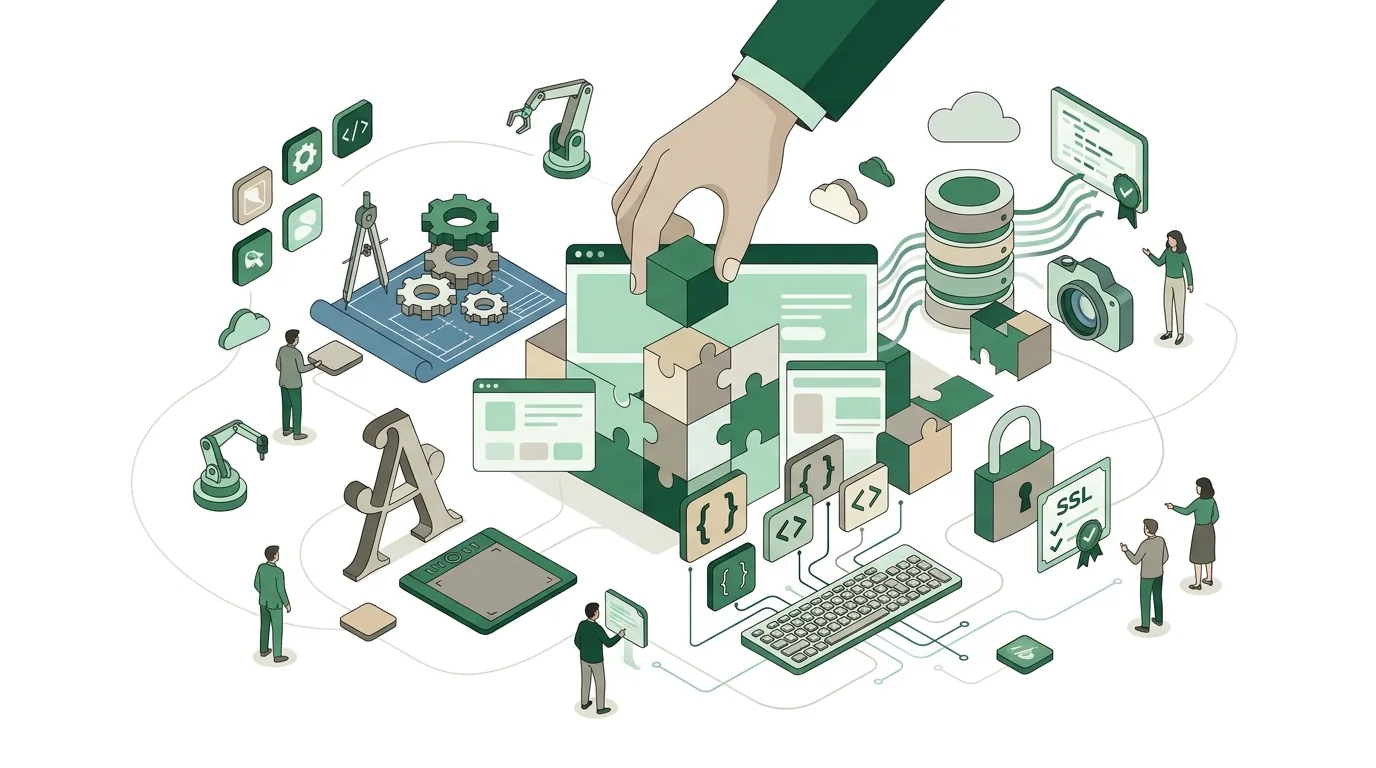
What are the ongoing costs of a website?
The bills don't stop at launch. These items come back every year or every month, even when nobody is changing anything on the site:
- Domain: renewed on a regular basis. It should be registered in your name, not your provider's.
- Hosting: storage and servers. With a website builder it's included in the subscription; with WordPress and a custom build it's a separate contract. If the host processes personal data on your behalf, such as form submissions, you need a data processing agreement with them.
- SSL certificate: for the encrypted HTTPS connection. Free certificates are available, for example from Let's Encrypt. They have a short validity period, so renewal has to run automatically, which many hosts handle. If the automation breaks, browsers show a security warning.
- Updates: with WordPress they cover the core, the theme and every plugin. Then there's the server's PHP version: each PHP version only receives security updates for a limited time. When the host moves to a newer version, outdated plugins sometimes stop working.
- Backups and restore: a backup is only worth something once a restore has actually been tested.
- Licenses: premium themes, plugins, fonts or stock image libraries often run on annual subscriptions.
- Content upkeep: keeping new services, team, case studies and legal pages such as the legal notice and privacy policy up to date. On older sites, the legal notice often still cites laws that have since been replaced.
A maintenance contract bundles updates, backups and small changes into a fixed block of hours. It's worth it if nobody in-house takes on this work. For a website builder site it isn't worth it, because the provider handles the technology there anyway.
How much does a web designer charge per hour?
There's no universal number, and a number without a scope of work doesn't help anyway. The hourly rate depends on who's doing the work. A freelancer bills their own time; an agency's rate also spreads project management, design, development and quality assurance. A low rate with lots of hours can end up costing more than a higher rate with fewer hours.
The billing model matters more than the rate. With a fixed price, the provider carries the risk that more work comes up and adds a buffer for it. Every change outside the scope of work then becomes a change order. With time-and-materials billing, you pay the hours actually worked and carry the risk yourself, but you can change course along the way. Fixed prices work when scope and content are settled up front. If the requirements are still open, a fixed price usually leads to arguments over change orders.

Can you build a website completely for free?
Technically, yes. Many website builders have free plans, and WordPress itself is open-source software with no license fee. But it's rarely truly free. Free website builder plans usually run on a subdomain of the provider instead of your own domain and display the provider's ads or a badge. For a business that looks unprofessional, and you only get your own domain on a paid plan.
With WordPress the software is free, but running it isn't: hosting, domain and updates cost money or time. Many people forget the time. If you, as a business owner, spend twenty evenings on your own site, you didn't build it for free. For a club or a personal project, it can still be the right choice.
Why website budgets fail
- Content arrives too late: design and development are done, but the copy is missing. The project stalls, and the provider bills for waiting time or re-planning.
- No written scope: without a list of templates, features and integrations, every addition is up for debate. Even a short requirements document helps.
- The cheapest route for complex requirements: a website builder that later needs a CRM or booking system connected often ends in a complete rebuild.
- Plugin pile-up: every feature comes as its own plugin from a different author. Updates cause conflicts that nobody budgeted for.
- Operations not planned: the site runs, but nobody does updates. What piles up over the years is technical debt, and paying it off costs more than ongoing maintenance.
- Forgotten redirects: after a relaunch, old URLs without permanent redirects land on an error page, and inbound links from industry directories hit dead ends.
- Domain held by the provider: if you want to switch, you can't get to your own address.
How to write requirements so that quotes become comparable is covered in How to write a requirements document: steps, template, mistakes. Why neglected maintenance gets expensive later is explained in Technical debt: causes, costs, paying it off.
Website, software, app, Google Ads: how do the costs differ?
People searching for website cost are often planning more than a website. Related projects follow a similar cost logic, but the drivers are different. Each of the following sections answers one of these cost questions on its own.
Software development cost: what goes into it?
Software development cost comes from four drivers: the functional scope (how many workflows, user roles and screens), the number of integrations with existing systems such as ERP, CRM or accounting, migrating existing data, and operations afterward. Unlike a website, most of the effort goes into logic, permission checks and testing, not design. Every integration brings its own work: authentication, error cases, retries and testing against the other system. That's why a firm number only comes after a requirements analysis in which these points are written down. The drivers are covered in detail in Software development cost: what drives it.
Software development cost: fixed price or time and materials?
With software development costs, the billing model decides who carries the risk. With a fixed price, the developer carries it. So they build in a buffer, and every change outside the agreed scope becomes a change order. That works when workflows, screens and integrations are settled up front. With time-and-materials billing, you pay for the hours actually worked, usually in phases with a sign-off after each. You carry the risk yourself, but you can change course after every phase. For software whose requirements only become clear once it's in use, that's often the better fit. A middle path is a fixed price for a clearly defined first phase, such as an MVP, and time and materials for everything after.
Ongoing software development costs after launch
The cost of software development doesn't end at launch. Hosting or servers, monitoring, backups, security updates for the libraries used and adjustments all come up regularly afterward. Every third-party integration can change: if a vendor retires an API version, your software has to catch up, or the connection breaks. On top of that come small enhancements as soon as users find gaps in day-to-day use. Plan for these items as a separate block from the start, either as a maintenance contract with a fixed block of hours or billed by time and materials. Skipping operations only saves money at the beginning, because neglected updates make every later change more work.
Custom software cost: when does building your own pay off?
Custom software is built for your workflow instead of bought off the shelf. So you don't pay a per-user license; you pay for development, hosting and maintenance. That changes when the costs hit: high at the start, then mainly for operations and further development. With off-the-shelf software it's the other way around: licenses keep running per user, per month. Whether building your own pays off depends mainly on whether a standard product can handle your workflow without major workarounds. If it can, off-the-shelf is usually cheaper and faster to roll out. If your workflow is what sets you apart from the competition, or several systems need to be connected, a custom build becomes interesting. When custom software pays off is covered in a separate article.
App development: what costs are involved?
When you have an app built, you're paying for more than the interface. Four blocks determine the cost: the platform question (iOS, Android or both, native or with a cross-platform framework such as Flutter or React Native), a backend for data, logins and notifications, device features such as camera, location or offline mode, and publishing in the App Store and Play Store with their review processes. Offline capability is a typical cost driver, because data has to be stored on the device and later synced without conflicts. A web app runs in the browser and skips the store process, but can't use every device feature. The cost drivers are explained in App development cost: what drives the price.
App costs after release
An app keeps costing money after it goes live in the stores. Apple and Google each require a developer account for publishing. New versions of iOS and Android change interfaces and requirements, and an app that isn't kept up to date may at some point no longer be updatable or resubmittable. The backend needs hosting, monitoring and security updates. Every update goes through store review again, which costs time when you're shipping bug fixes. So before you sign, ask who will handle updates, store submissions and the backend after launch, and how that will be billed.
Google Ads cost: what do you pay per click?
Google Ads has no base fee. With search ads you generally pay per click, and the cost per click depends on your bid, the quality of the ad and the competition for the same search term. You set the daily budget yourself; on individual days Google may exceed it, but it balances out over the month. Besides clicks, there are costs for setting up and managing the campaigns, whether in-house or outsourced. The website is the landing page: if it loads slowly or doesn't match the ad, you pay for clicks that don't lead to an inquiry. Details on bids, the monthly limit and common mistakes are in the article Google Ads cost: cost per click and budget.
How DigifyNow builds websites
DigifyNow, based in Unnau in Germany's Westerwald region, builds websites for small and mid-sized businesses as part of its web development work. It starts with a free, no-obligation assessment. In it, we work out which templates, features and integrations the site needs, and whether you need a custom solution at all. For a simple business-card site with no integrations, we'll honestly recommend the simpler route. A custom build becomes interesting when the website is tied into your workflows, for example writing inquiries straight into a CRM or being part of a web app. A firm price only comes from a scope agreed in writing. How we go about it is described on our page on web development.

When outside help is worth it
Outside help is worth it when the website needs to do more than inform: pass inquiries to a CRM, book appointments, serve several languages or replace an existing site with many URLs. It's also worth it if nobody in-house can take care of updates and backups. For a first conversation, have the following ready: your current site and its logins, a list of the page types and features you want, the systems it should connect to, and who will supply the content. You can go through these points with us via the page for a free assessment of your project.
Frequently asked questions
How much does a website cost for a small business?
It depends less on the number of pages than on the number of page templates, the features and integrations, and who supplies the copy and photos. A company site with four templates and a simple contact form is a different job from one with appointment booking and a CRM integration. A firm number only comes once these points are in writing and a provider prices against them.
What are the ongoing costs of a website per year?
Recurring items are domain, hosting, licenses for premium themes or plugins, updates, backups and content upkeep. On top of that come required technical chores that often get forgotten: SSL certificates have to renew automatically, and when the host raises the server's PHP version, the theme and plugins have to be compatible. With a website builder, hosting and technology are part of the subscription; with WordPress and a custom build they're separate line items.
What's the difference between a homepage and a website?
The website is the entire web presence under one domain, with all its subpages. Strictly speaking, the homepage is just the start page, the page that appears when you open the domain. In everyday use, the two terms are often used interchangeably. For cost, though, the difference matters: a quote for a homepage may mean a single page, while a quote for a website covers the whole presence.
Is WordPress still a good choice?
WordPress is an open-source content management system with no license fee, a block editor and a large plugin ecosystem. It's still well suited to content-heavy company sites with in-house editors. Its weak spot is operations: the core, the theme and every plugin are updated separately, and plugins from different authors can clash in the process. With a few well-maintained plugins it's solid; with many, it's a never-ending construction site.
How do I get comparable quotes for a website?
Quotes become comparable when every provider gets the same scope of work: number of page templates, features, integrations and languages, who supplies copy and images, whether old URLs are permanently redirected, and what maintenance is included after launch. Without that list, each provider prices on its own assumptions, and the totals tell you little. Also ask whether the domain and logins are in your name.